DC-Powered by People
Automotive OBD2 Scanner OBD Code Reader Car Check Engine Fault Diagnostic Tool
Automotive OBD2 Scanner OBD Code Reader Car Check Engine Fault Diagnostic Tool
Couldn't load pickup availability
Product Description:
Note: US sales only (excluding Hawaii, Alaska, Puerto Rico, Guam, Virgin Islands, American Samoa, Northern Mariana Islands, Palau, Federated States of Micronesia, Marshall Islands, AA, AE, AP, US Minor Outlying Islands, US Miscellaneous Pacific Islands, Northern Marianas).
Description:
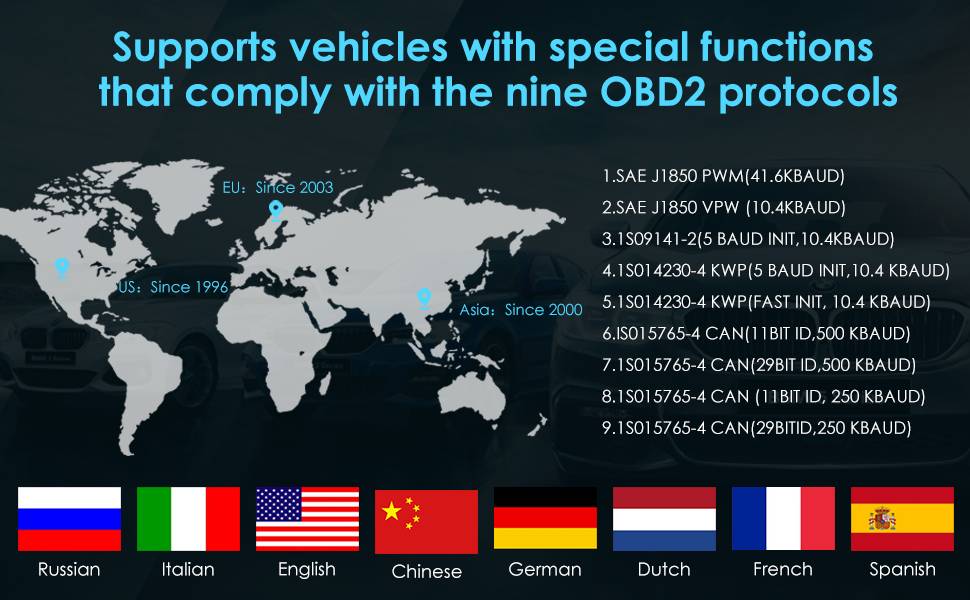
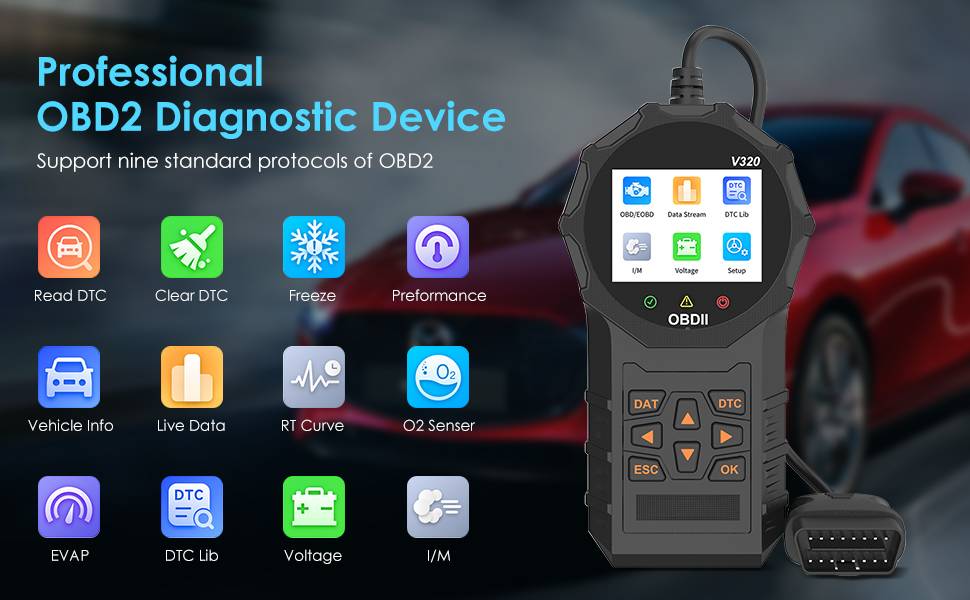
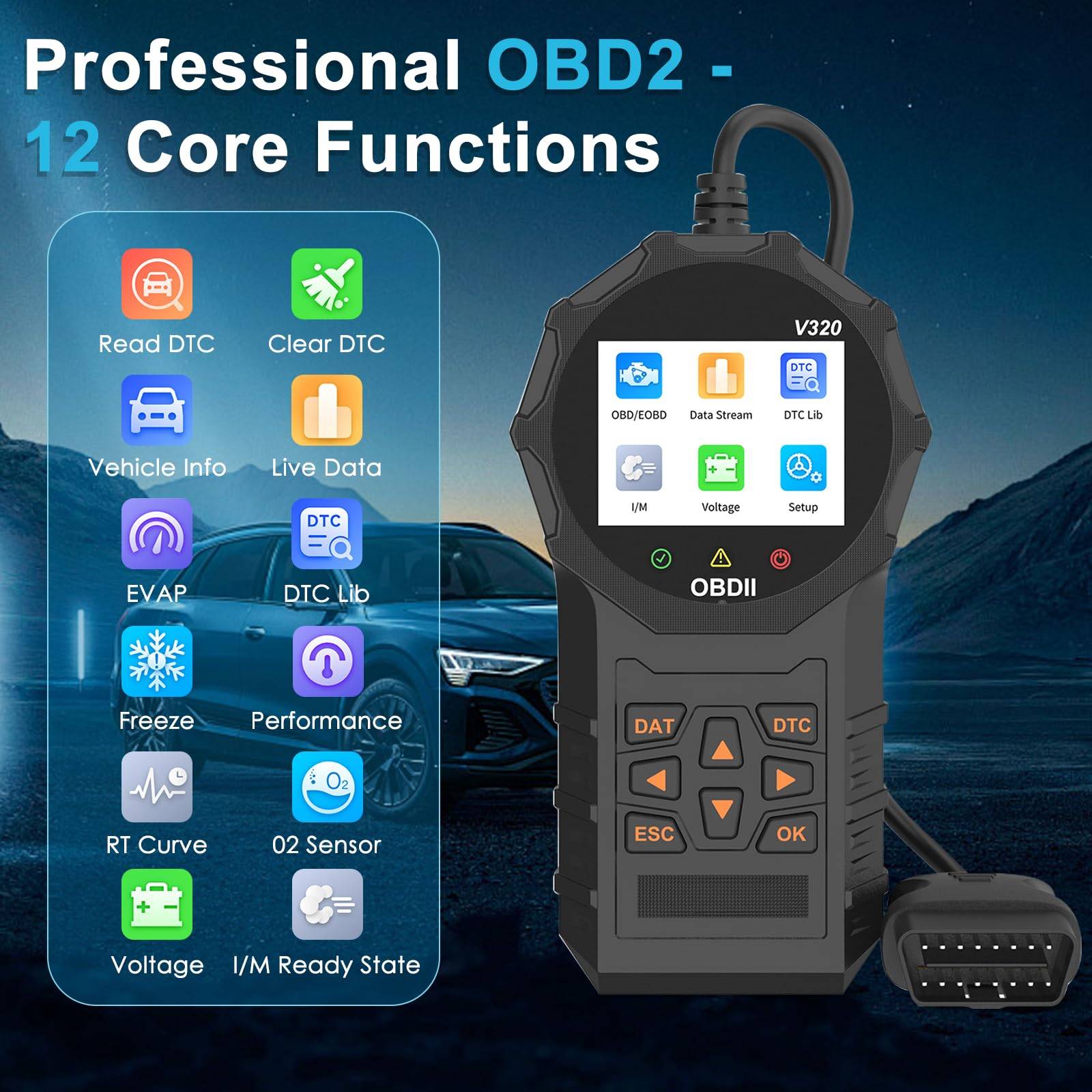
Standard OBD II/EOBD Protocol Support: The V320 diagnostic device supports nine standard OBD II/EOBD protocols, allowing compatibility with a variety of car models for fault diagnosis and data reading.
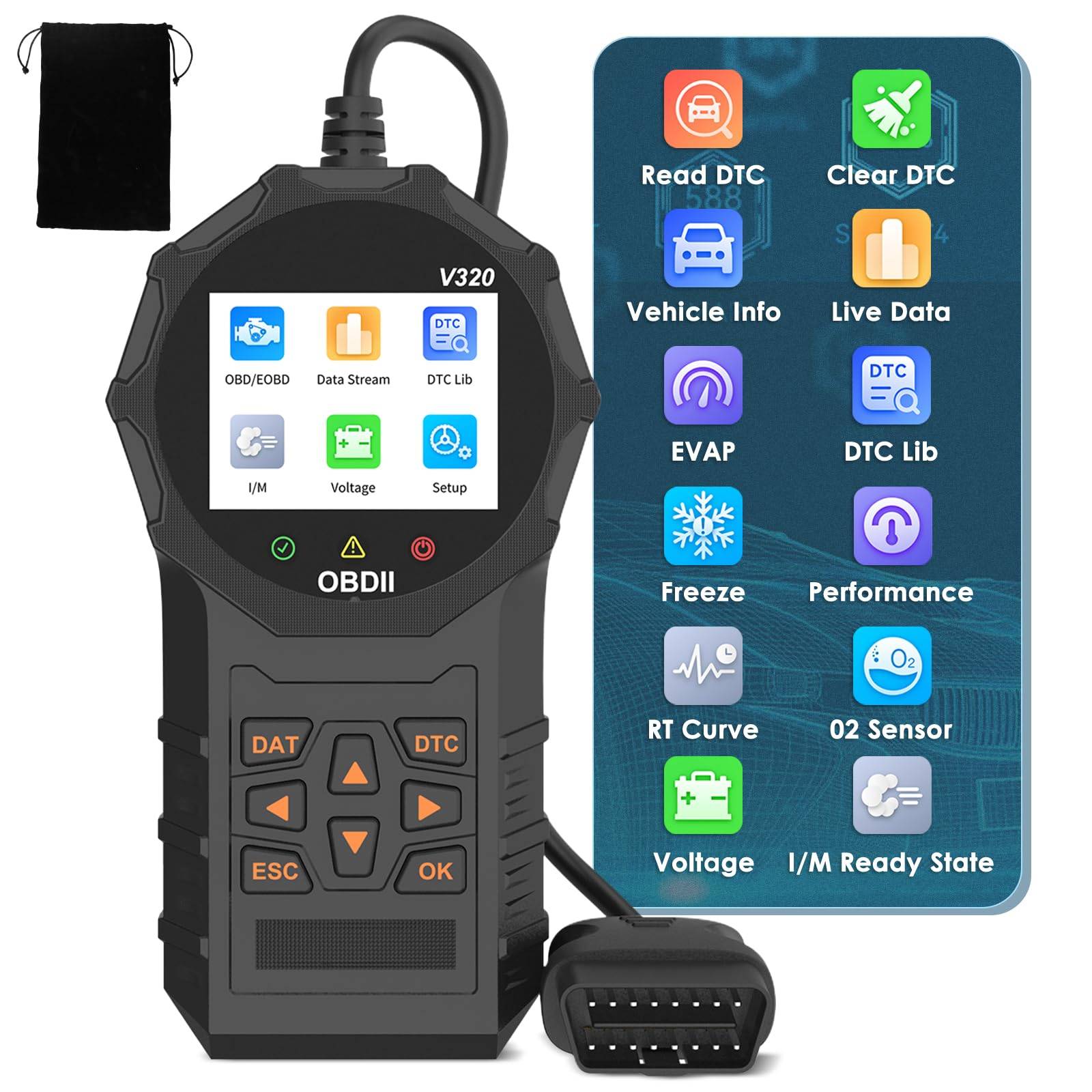
Car Battery Voltage Test: It can detect and display the current car battery voltage, helping users understand the battery status.
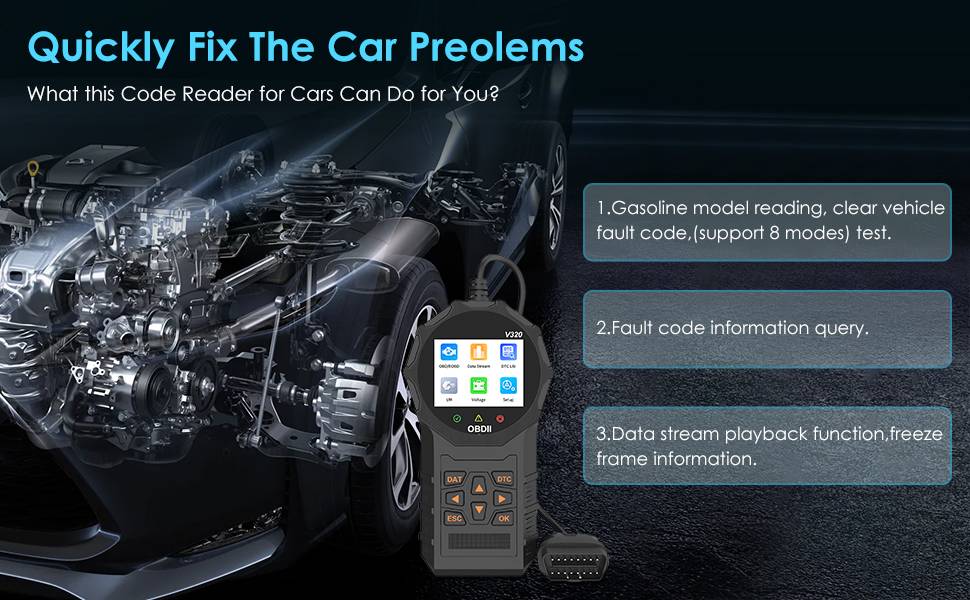
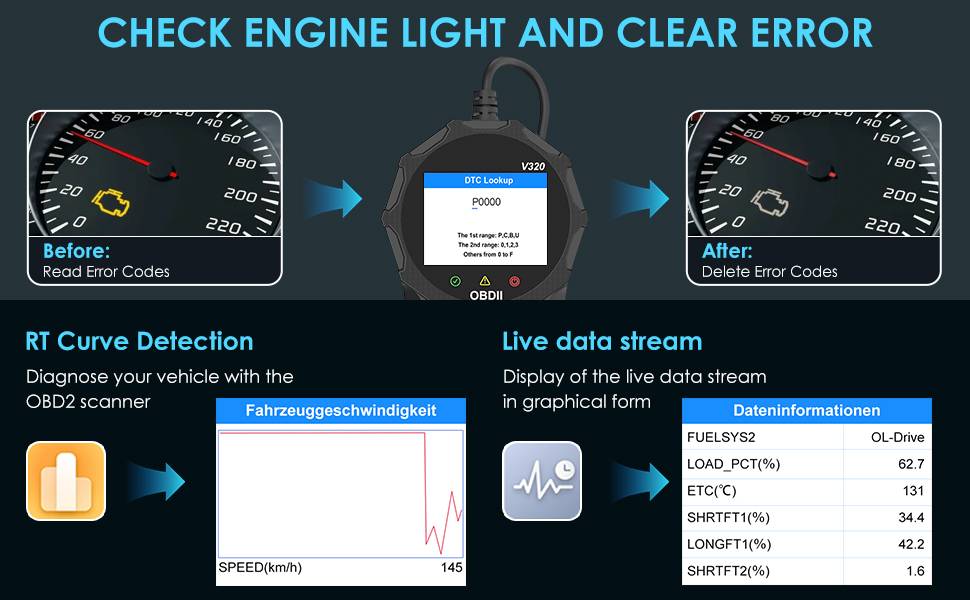
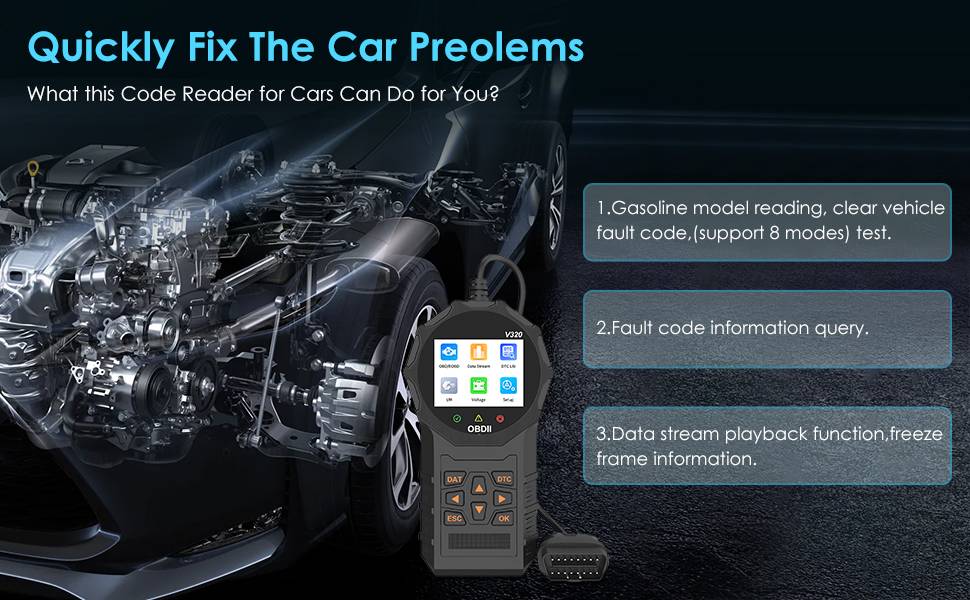
Reading and Clearing Fault Codes: It can read vehicle fault codes and provide a clearing function to help users identify and resolve vehicle problems.
Data Stream Reading: Real-time reading and display of car engine operating parameters, such as engine speed, temperature, fuel consumption, etc.
Freeze Frame Information: When a fault is detected, it can save the vehicle's status information at the time of the fault for later analysis.
MIL Status Check: Check the status of the Malfunction Indicator Light (MIL) to understand if there is a vehicle fault.
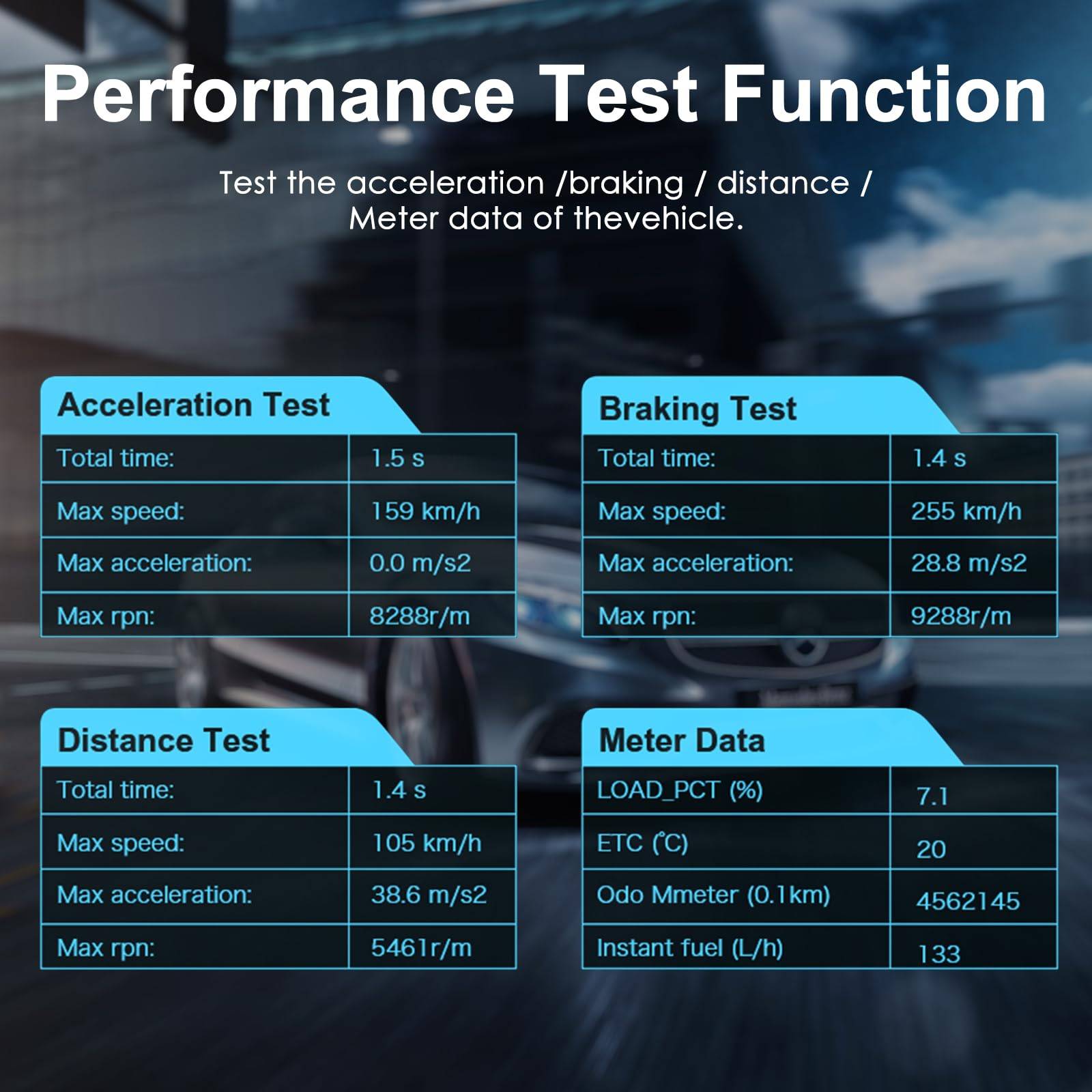
Performance Test: Test the car's acceleration, braking, etc. performance to evaluate vehicle performance.
Vehicle Information Reading: Read basic vehicle information, such as VIN number, engine model, etc.
Oxygen Sensor Test: Test the working status of the oxygen sensor to evaluate the performance of the emission control system.
Fuel Evaporation System Test (Mode 8): Check whether the fuel evaporation control system is working properly.
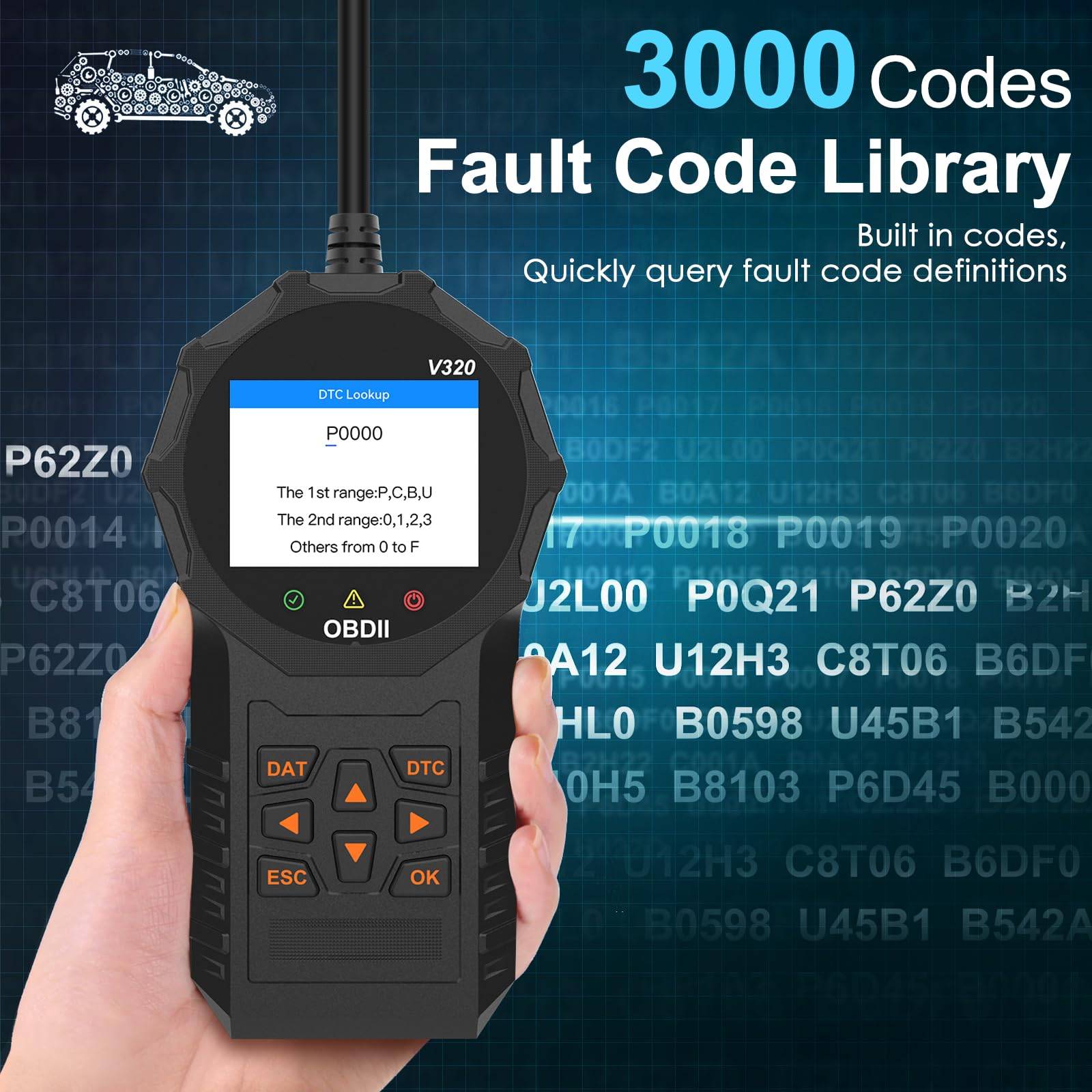
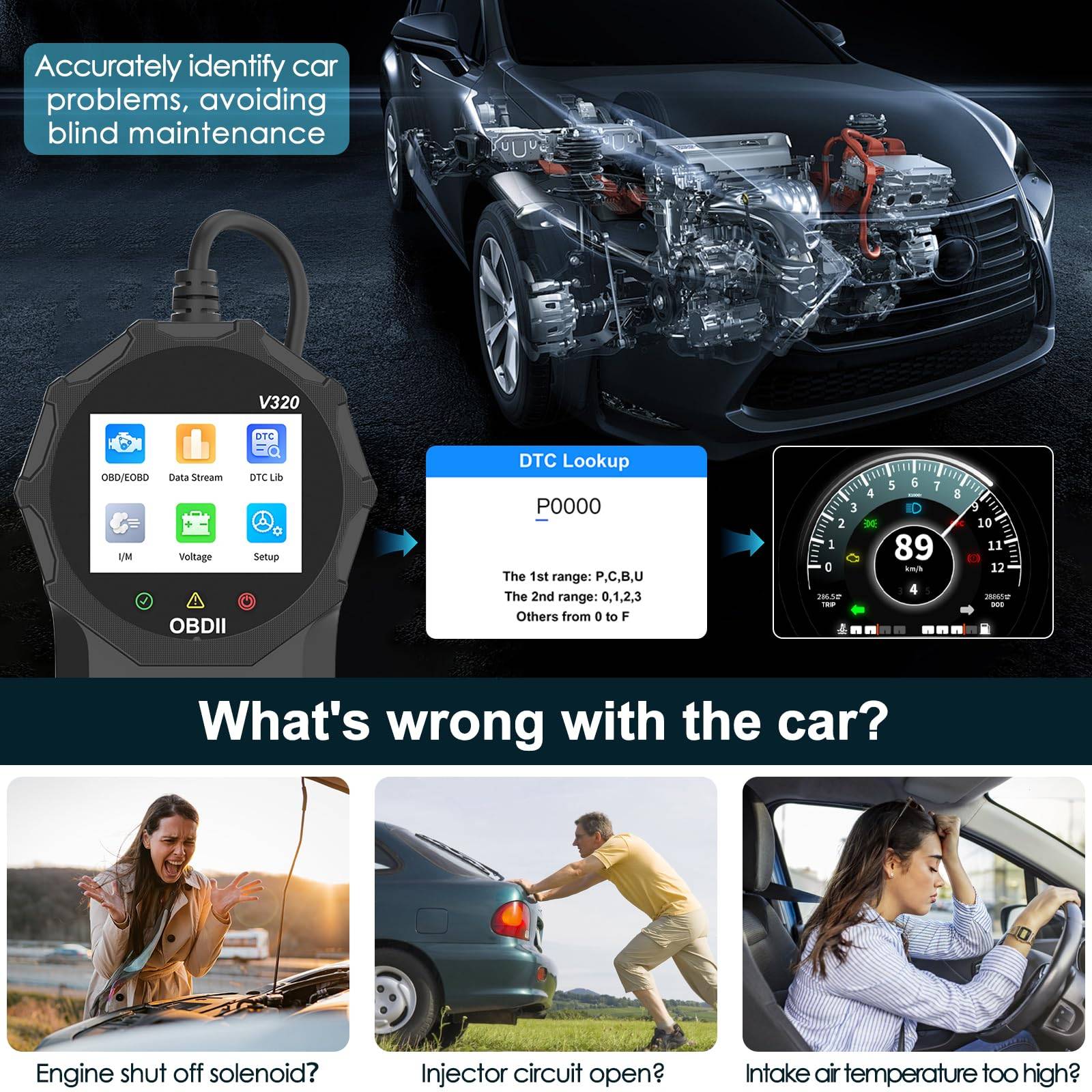
Fault Code Information Query: Provide detailed information query for fault codes to help users understand the meaning of faults.
Data Stream Playback Function: Allows users to view and delete fault codes, data streams, and freeze frame information.
Multi-language Support: Supports eight languages, including English, German, Italian, Dutch, French, Spanish, Chinese, and Russian, to meet the needs of different users.
Supported Protocols
The V320 diagnostic device supports the following nine automotive communication protocols to ensure compatibility with OBD systems of various car models:
SAE J1850 PWM: A communication protocol that uses pulse width modulation signals with a transmission rate of 41.6 Kbaud.
SAE J1850 VPW: A communication protocol that uses voltage pulse width modulation signals with a transmission rate of 10.4 Kbaud.
ISO9141-2: A protocol that uses a 5 baud rate for initialization, followed by communication at a 10.4 Kbaud rate.
ISO14230-4 KWP: A protocol that uses a 5 baud rate for initialization, followed by communication at a 10.4 Kbaud rate.
ISO14230-4 KWP (Fast Init): Same as above, but with fast initialization.
ISO15765-4 CAN (11-bit ID, 500 Kbaud): A CAN bus communication protocol that uses an 11-bit identifier and a 500 Kbaud rate.
ISO15765-4 CAN (29-bit ID, 500 Kbaud): Same as above, but with a 29-bit identifier.
ISO15765-4 CAN (11-bit ID, 250 Kbaud): A CAN bus communication protocol that uses an 11-bit identifier and a 250 Kbaud rate.
ISO15765-4 CAN (29-bit ID, 250 Kbaud): Same as above, but with a 29-bit identifier.
Vehicle Diagnostic Steps:
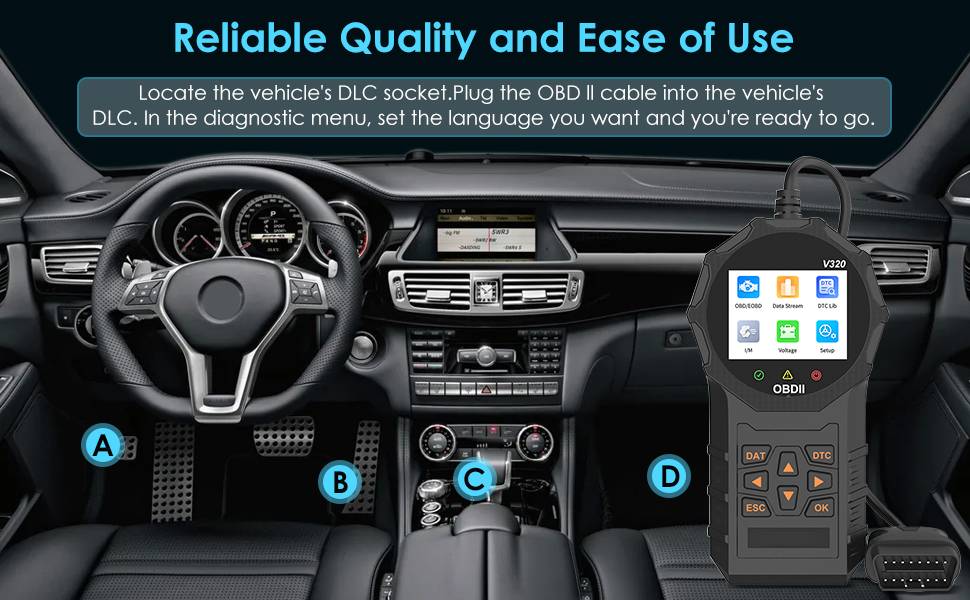
Locate the OBD Port: First, locate the vehicle's OBD port. The location of the OBD port varies depending on the model, but it is usually located on the lower left side of the dashboard, above the accelerator pedal. If you are unsure of the port's location, refer to the vehicle manual or search for the specific location based on the model.
Connect the Diagnostic Device: Connect the V320 diagnostic device to the vehicle's OBD port using the provided connection cable.
Start the Vehicle: After connecting the device, start the vehicle to allow the system to communicate.
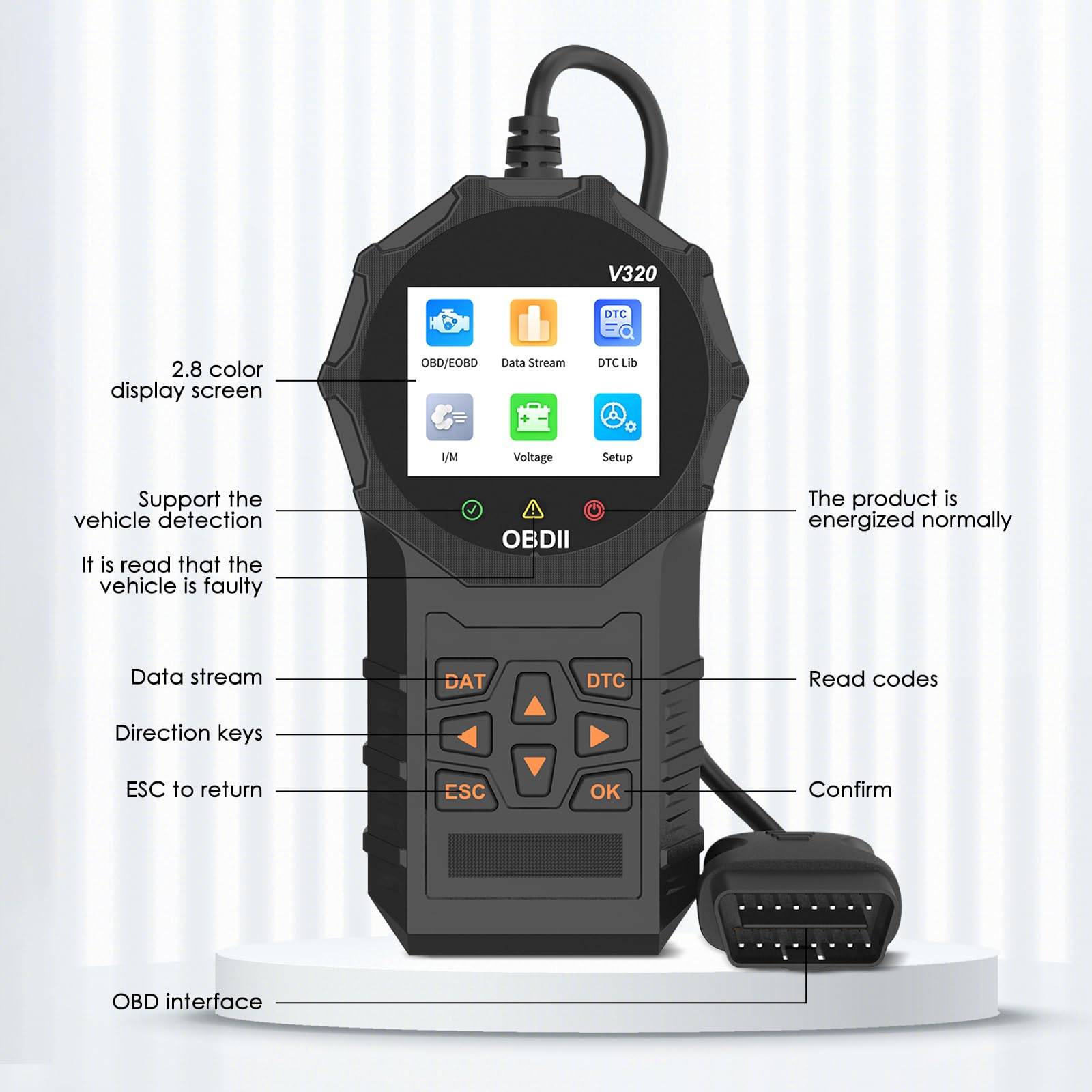
Access the Diagnostic Menu: Once connected to the vehicle, navigate to the V320 diagnostic device's main page and select the "OBD/EOBD" menu. Then, press the OK button to enter the test function page.
Select Test Functions: Use the directional keys to navigate and select the desired test function. Test functions include performance tests, data stream, fault code query, I/M readiness status, voltage detection, etc.
Perform the Test: After selecting the appropriate test function, press the OK button to perform it. The diagnostic device will read relevant vehicle information and display the results.
Steps to Adjust Settings
: Access Product Settings: From the V320 diagnostic device's main menu, find and select the "Product Settings" option.
Language Setting: In the settings menu, select the language option, then use the directional keys to select the desired language and confirm with the OK button.
Unit Setting: If you want to change the display units (such as miles per hour or kilometers per hour), select the unit option in the settings menu and choose the desired unit system.
Other Parameter Settings: Adjust other parameters as needed, such as backlight brightness, contrast, sound settings, etc.
Save Settings: After making all desired adjustments, select the "Save" option to retain the changes.
Exit Settings: Once the settings are complete, select the "Exit" option to return to the main menu or continue with other operations.
Menu Interface Introduction
Main Page: After connecting to the vehicle, the diagnostic device displays the main page, offering multiple options for the user to select.
OBD/EOBD Menu: From the main page, select the "OBD/EOBD" menu and press the OK button to access the test function page. This menu is the primary access point for vehicle diagnostics.
Diagnostic Menu: Includes the following sub-menus and functions:
Performance Test: Allows checking vehicle acceleration and braking, distance tests, and indicator data.
Data Stream: After entering the data stream page, the diagnostic device reads and displays the current vehicle engine data stream information in real-time.
Fault Code Query: Allows querying vehicle fault codes and provides detailed information about their definitions.
I/M Readiness Status: Checks if the vehicle's monitors are working correctly. OK indicates that the monitoring test is complete, INC indicates that the vehicle has not completed monitoring, and N/A indicates that the vehicle does not support such monitoring.
Voltage Detection: Reads and displays the current vehicle battery voltage data.
Product Settings: Allows users to adjust various product parameters, such as language and unit settings.
Navigation Keys: Used to navigate and select options within the menu.
Exit or Back Key: Used to exit the current menu or return to the previous menu level.
Status Indicator Lights:
Green Light: Indicates vehicle diagnostic compatibility.
Yellow Light: Indicates that a vehicle fault has been detected.
Red Light: Indicates that the device is powered on normally.
Code Reading Key: Used to execute the fault code reading operation.
Confirm Key: Used to confirm the selected option or execute the chosen function.
Product Configuration: In the settings menu, users can perform the following actions:
Select Language: Sets the display language of the diagnostic device.
Set Units: Adjusts display units, such as converting miles per hour to kilometers per hour.
Adjust Other Parameters: Such as backlight brightness, contrast, sound settings, etc.
Precautions: Reminds users that the product is not compatible with new energy vehicles, hybrid vehicles, and models that do not conform to the OBD2 protocol.
Warranty Disclaimer: Explains situations not covered by the product's warranty policy, such as abnormal product use, improper storage, unauthorized modifications, misuse, negligence, abuse, accidents, alterations, incorrect installation, etc.
Specifications:
Product Special Purpose: Fault diagnosis
Product Material: ABS
Appearance Color: Black
Product Size: 195x100x30mm
Supported Languages: English, German, French, Spanish, Italian, Russian, Dutch, Chinese
Compatible Models: Compatible with all models with OBDII protocol
Full Set Configuration:
One bag
One product body
One English manual
Note:
1. Due to the light and screen difference, the item's color may be slightly different from the pictures.
2. Please allow 1-2 cm differences due to manual measurement.